Meet Liquid Glass Lab
The glass from the keynote, rendered for real
When Apple introduced Liquid Glass, the keynote and the marketing images showed something new: controls made of thick, clear glass. The content underneath bent around their edges, light split into thin rainbows at the rim, and every button looked like something you could pick up off the screen.
What ended up on our phones is a quieter thing. To me most of it reads as a blur with a bright outline, and over the betas it got frostier, mostly so that text on top stays readable. That’s a reasonable trade for an operating system millions of people use all day. But the look from the keynote never really arrived.
So I built a place where it does. Liquid Glass Lab renders real refractive glass in the browser: every surface has a thickness and a shape, and the page behind it is bent through it, as real glass would. You can drag it around, tune every property of the glass, and share what you made with a link.
Blur isn’t glass
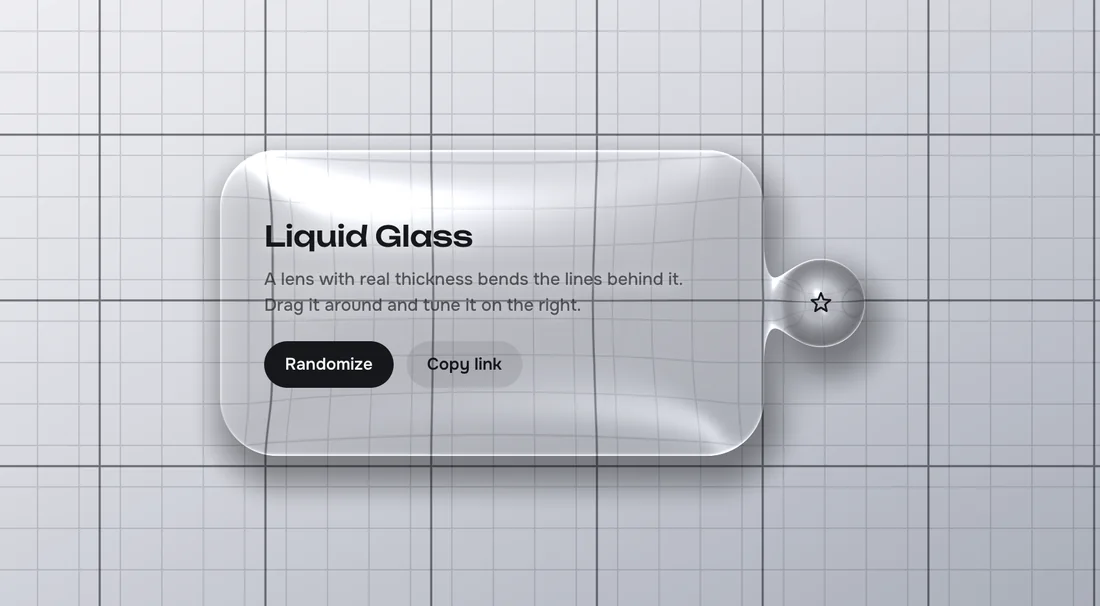
Most “glass” on the web, and much of it in today’s interfaces, is a blur: the content behind is smeared and dimmed, and a light border suggests an edge. Glass with thickness does something else entirely. It acts as a lens: straight lines bend where the rim curves, the content just outside gets pulled into the edge, and the middle stays sharp.
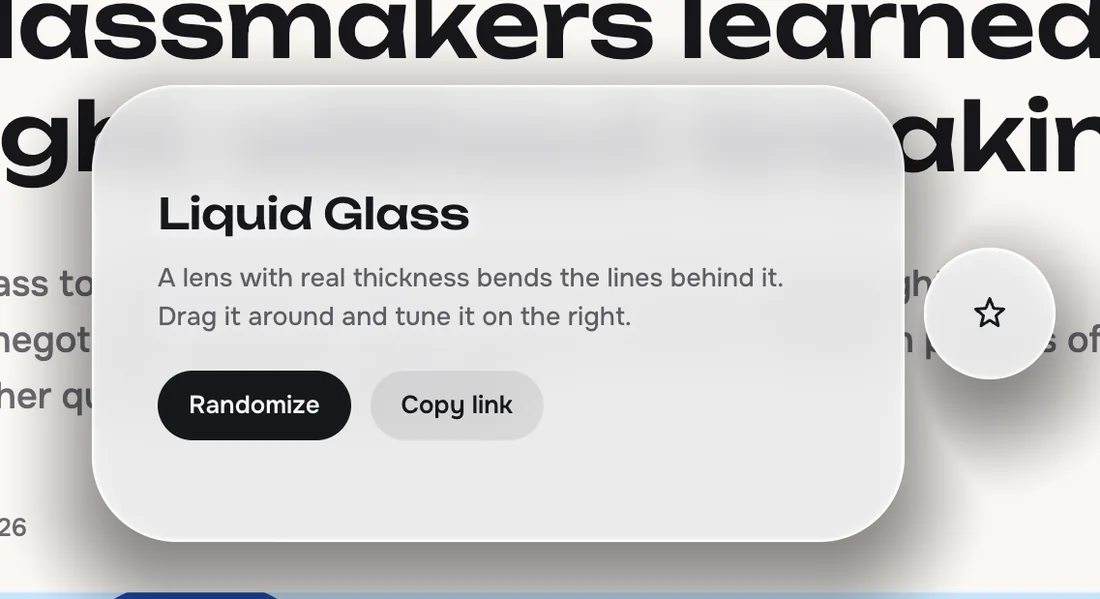
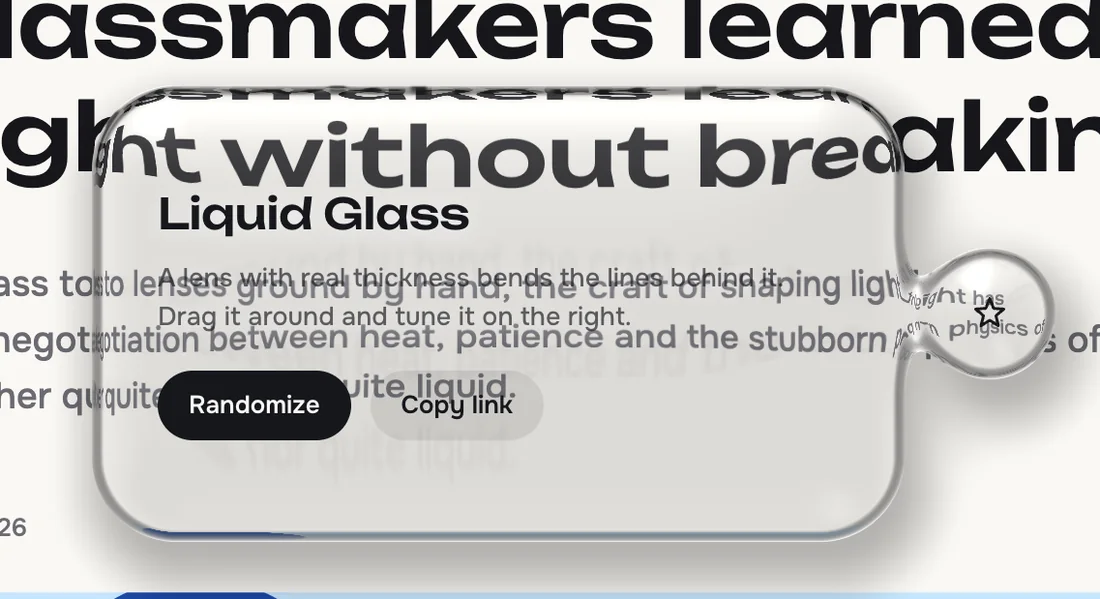
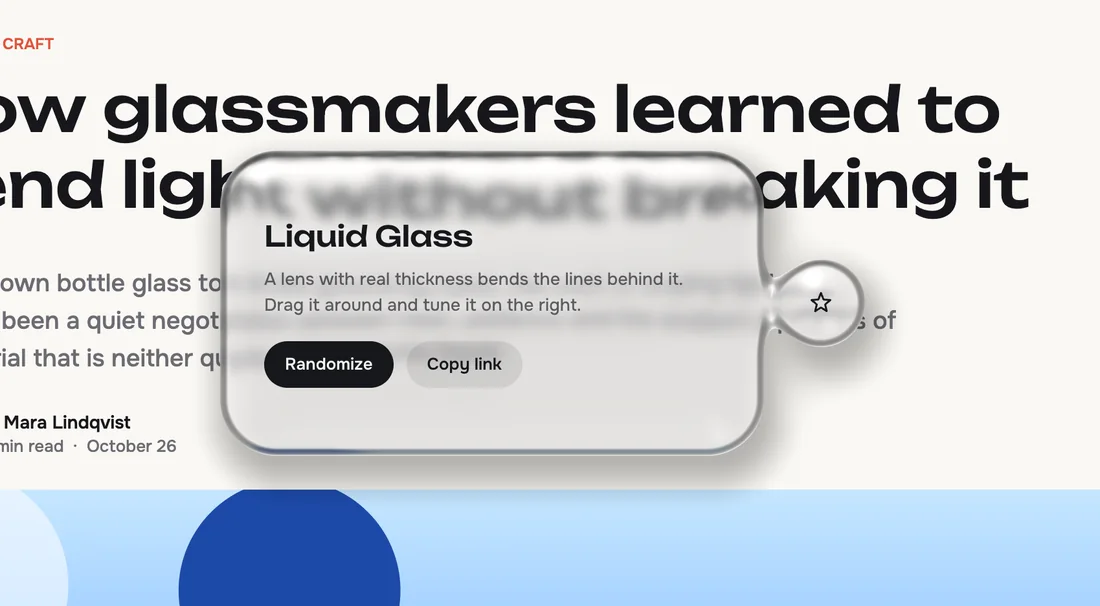
Both pictures show the same panel over the same page. On the left, the lab’s CSS blur preset, the way most websites do it. On the right, Clear lens: the headline behind folds around the rim, and the small round drop next to the panel melts into it like a drop of water.
Seven looks to start from
The lab opens with a set of presets, each a different idea of what glass in an interface could be. Pick one and adjust from there.
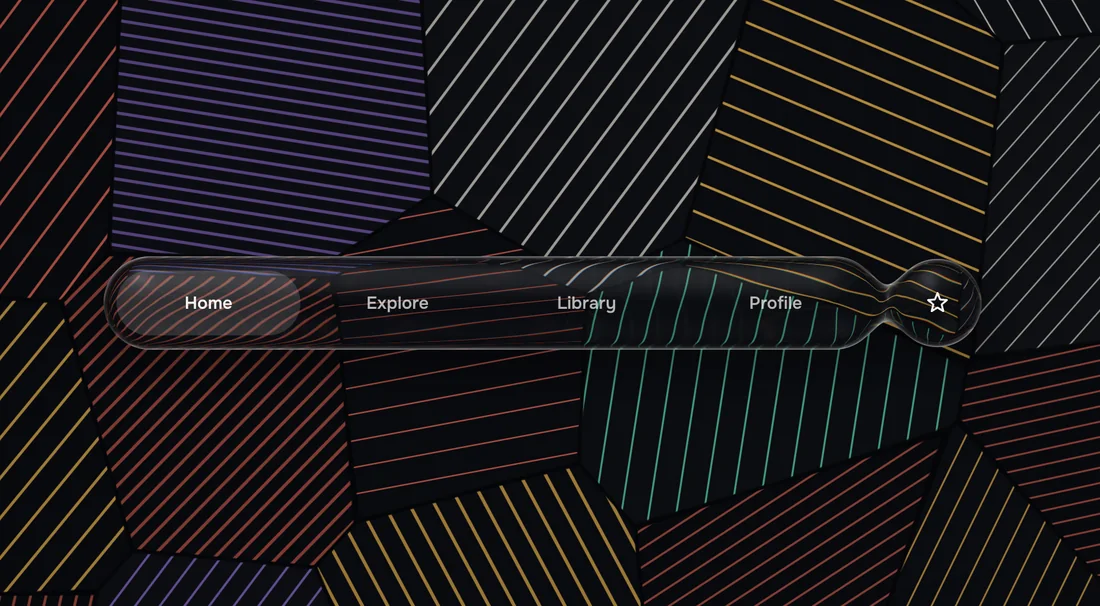
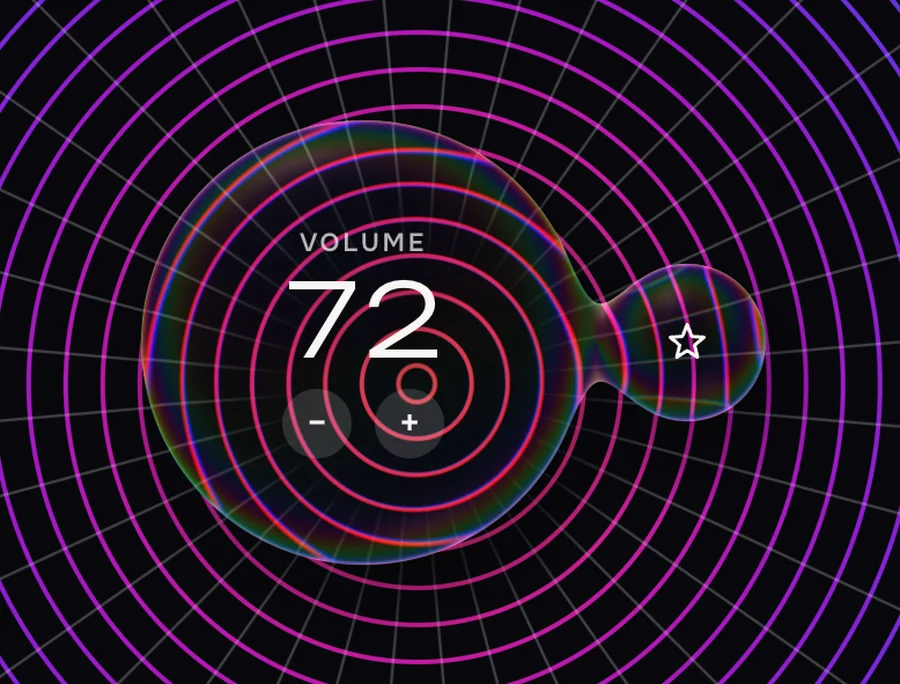
There’s also Cut slab, with a sharp chamfered edge, and CSS blur for comparison.
Glass that behaves like a liquid
Two pieces of glass that come close don’t just overlap: they merge, with a soft neck between them, like drops of water on a table. The Group shape takes this further: nine drops held together, so pulling one sends a ripple through the rest and stretches the necks before they settle back.
Drag any shape and it tips in perspective, like a stone pulled across a table, and settles when you let go.
Every property of real glass
The panel on the right holds everything that makes glass look like glass, from its shape to its optics and light:
- Form: thickness, how wide and how round the rim is, a raised edge or a flat cap, a dome that magnifies, and how eagerly two drops merge.
- Optics: how strongly it bends light, how much it splits colours, and how frosted it is.
- Light: where the light comes from, highlights, reflections, a glowing rim and iridescence.
- Surface: tint, a shadow, and the bright caustic that glass throws onto the page below.
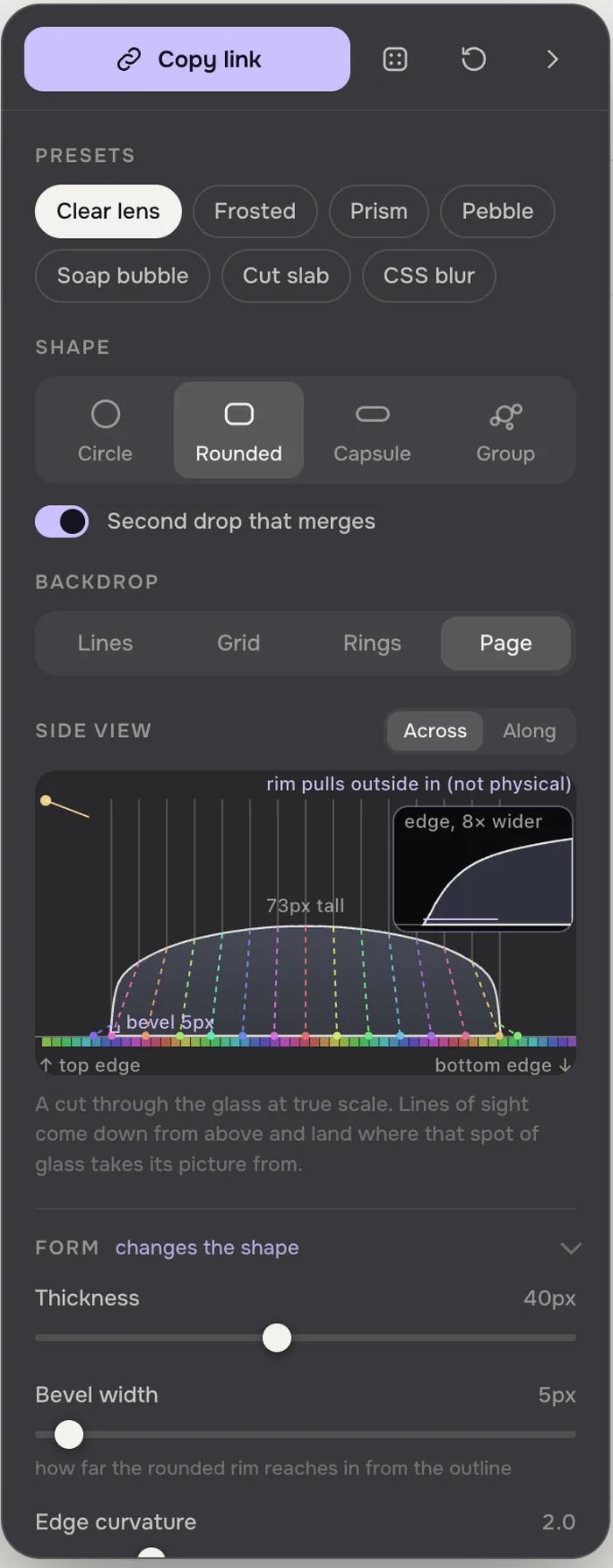
Together, these are enough to build any liquid glass look: the bold one from the keynote, the calm one that shipped, and plenty that nobody has shipped yet.
At the top of the panel, a side view shows a cut through the glass at true scale, with lines of sight showing where each point of the glass takes its picture from. Move a slider and you see the shape change before you see the result.
Share what you make
Every look fits in a short code at the end of the link: about seven characters for a preset, a few more for your own tweaks. Press Copy link, send it, and whoever opens it gets exactly your glass, on your shape and backdrop.
How it works
The lab is a single web page with no build step, rendered with WebGL2. The glass shape is a smooth distance field, turned into a height map with a rim and an optional dome. For every pixel, a line of sight is bent through that surface with the same law that describes real refraction, then traced to where it lands on the backdrop. Sampling it at seven slightly different strengths gives the rainbow fringes; reflections, highlights, a shadow and the caustic are added on top.
It runs in any current browser, on a phone too, though a bigger screen shows it off best. Like most things I build lately, it was made together with Claude.