Meet vibemusic
Music streaming, rethought for the music you own
This is vibemusic: a music player for the library you own, built to feel like the streaming apps at their best, and to run on your own server next to Navidrome.
Streaming apps get one thing right: the moment you open them, there’s something to play. Open a self-hosted library and you get a list of everything you own, and it’s up to you to remember what’s in it. vibemusic is about that first moment, and everything after it. It’s free, open source, and works with the Navidrome you already have.
A home page that suggests what to play
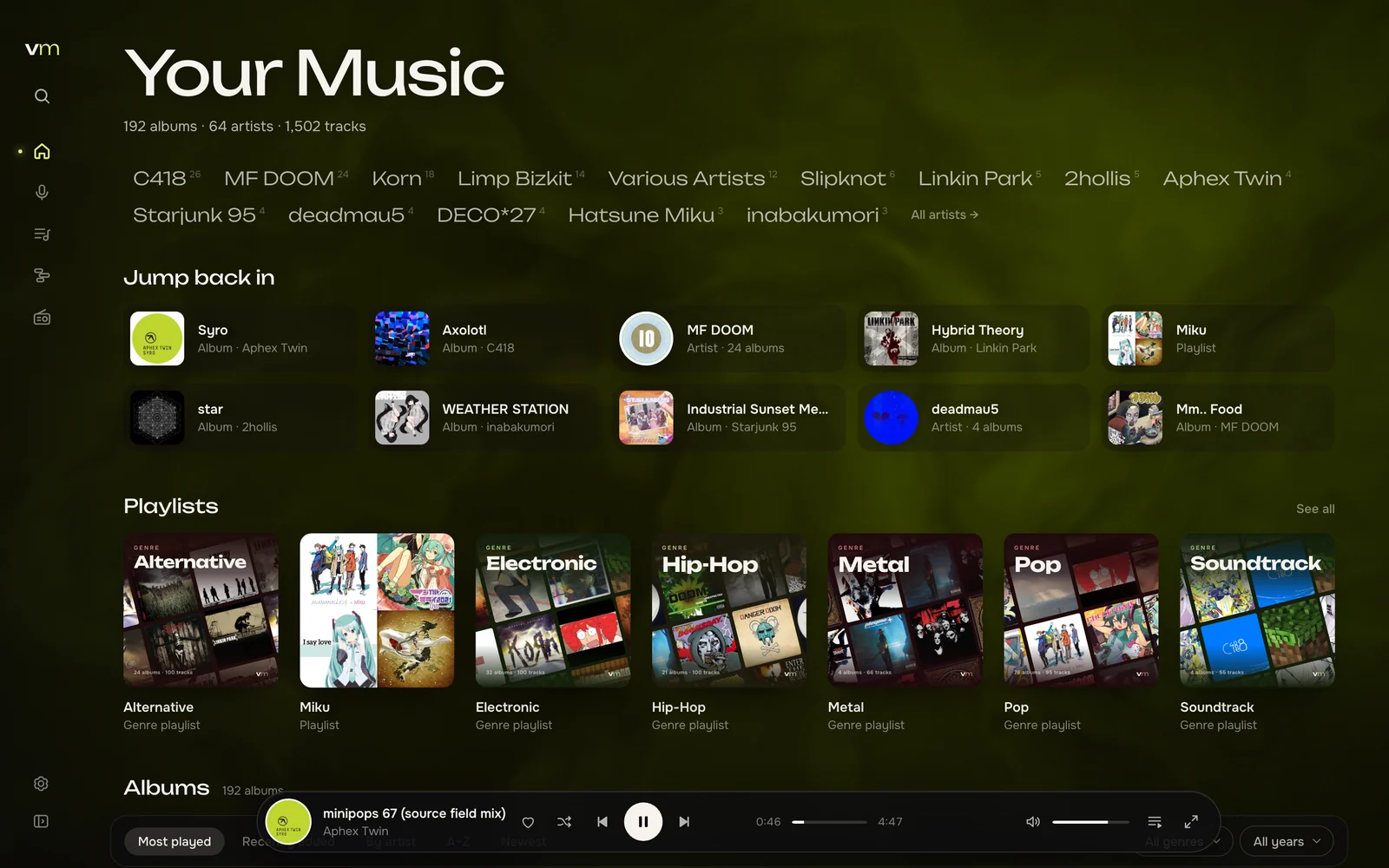
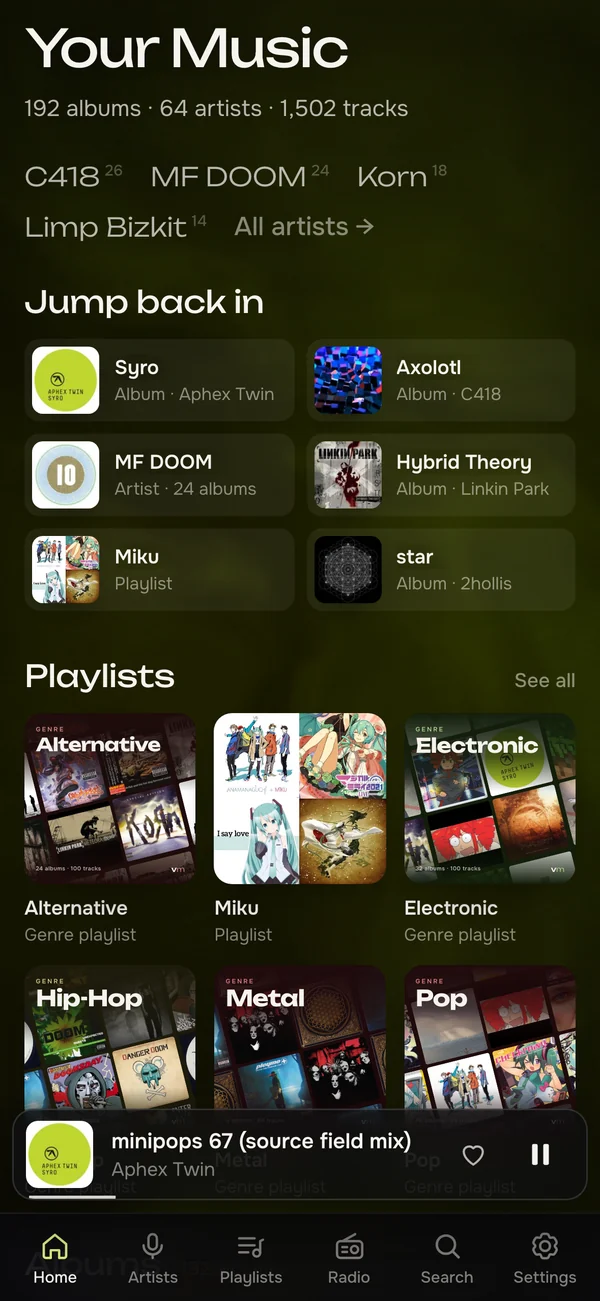
Open vibemusic and the home page has something for you: what you played recently, a mix of your playlists and the generated ones, and your genres as tiles to dip into. It isn’t a wall of every album you own sorted by date. The library is still all there, one click away, but the first screen is about what to play next.
Every album paints the app
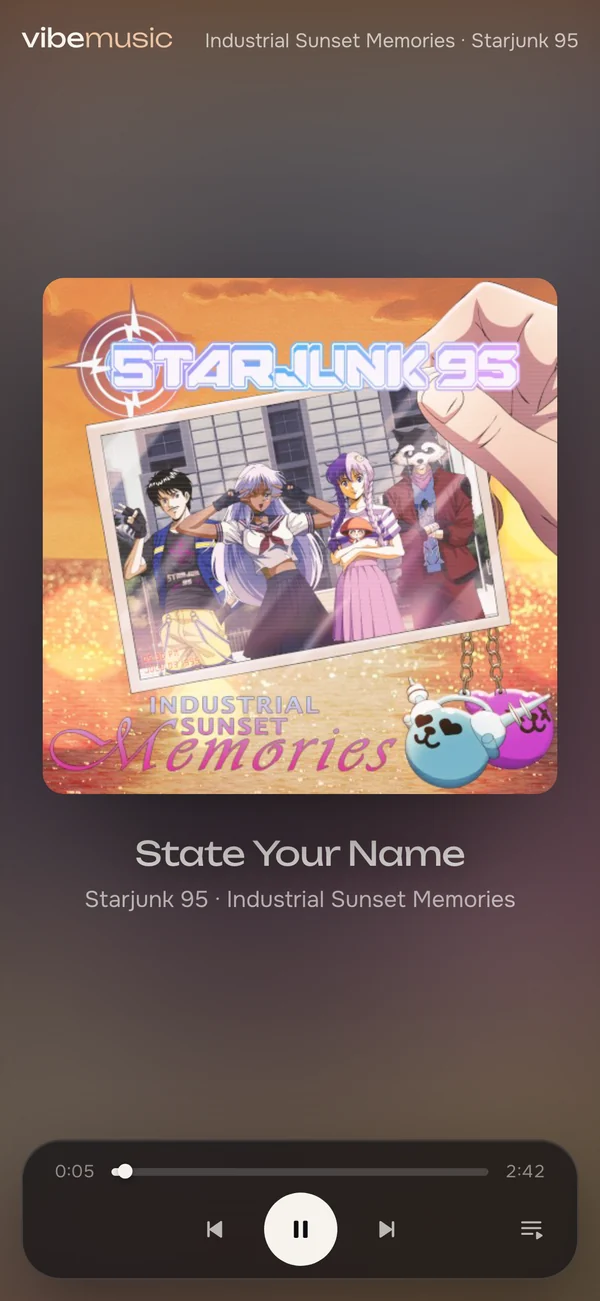
Each cover gets its colours picked out when it first plays: not just the biggest patches of colour, but the small details that make a cover what it is, like a red logo on a black sleeve or the white of a title. Those colours drift slowly across the background, and the interface takes its accent from the album: switches, highlights, the current track, even the browser tab’s icon. Change the album and everything follows, gently, as in the video at the top.
The full-screen player keeps all of that and gets out of the way: the cover, the track, synced lyrics when there are any, and a background that moves with the music.
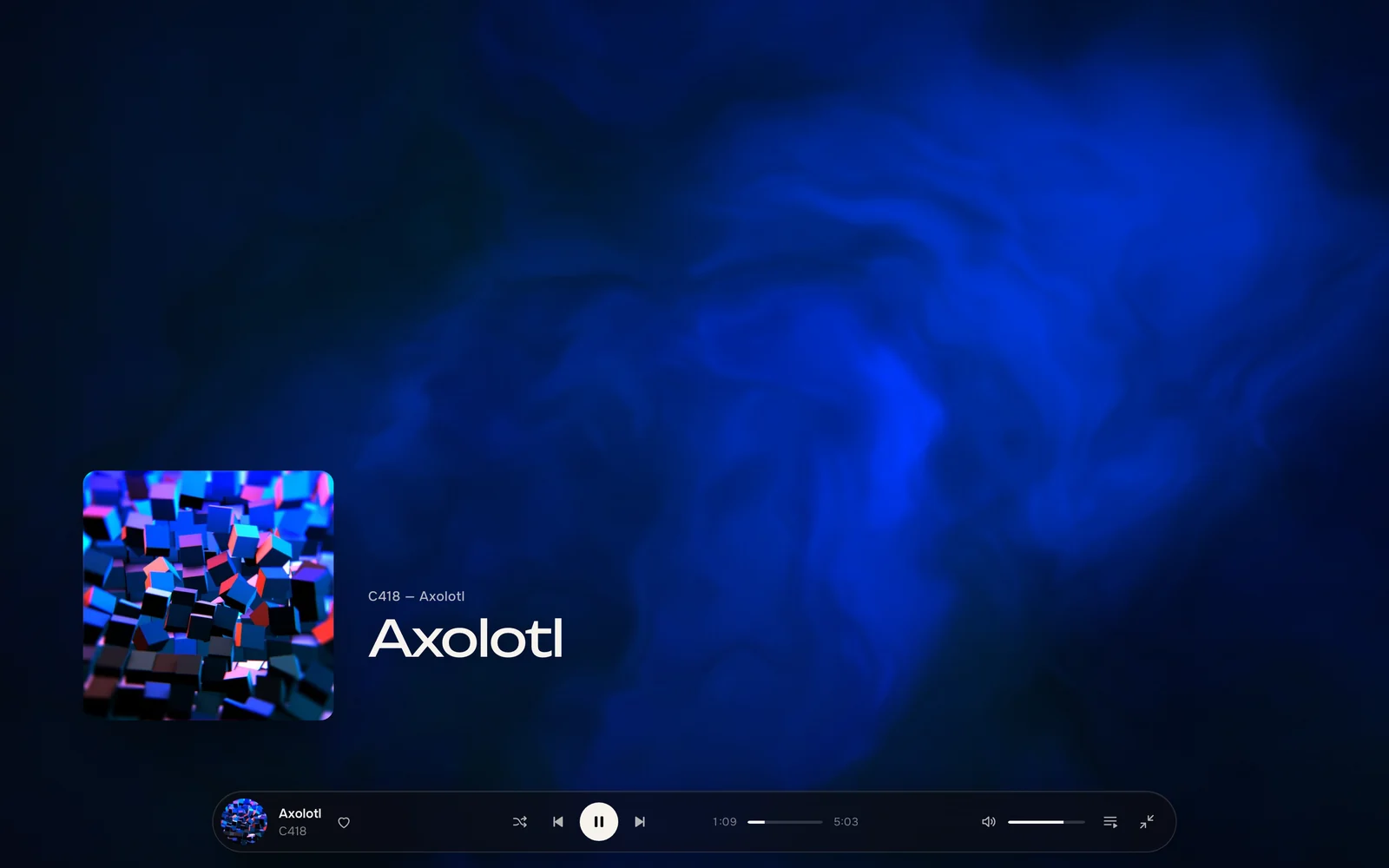

There’s a second background, too. Turn on Caustics in Settings and the album’s colours become light at the bottom of a pool: the most colourful parts of the cover make the bright ripples, and the darkest part becomes the floor beneath them. Like the drifting colours, it stays dark enough to read over, whatever the cover.
Playlists that make themselves
This is the part I’m proudest of, and the one plain Navidrome doesn’t have at all.
Navidrome shows your genres exactly as your tags spell them. If one album says “Hip Hop”, another “hip-hop” and a third “Rap”, that’s three genres. Its answer to generated playlists is smart playlists: rules you write yourself, in a file.
vibemusic starts by understanding your library. It maps all those spellings onto one genre tree, with sub-genres under their parents, so post-punk counts as punk and rock as well. Tags are cross-checked against MusicBrainz and Deezer, so an album with a vague or missing genre still ends up in the right place. Then it builds a playlist for each genre you have enough of:
- the tracks people actually know first, using popularity from Deezer and Apple, plus your own plays and likes;
- a few tracks from each artist, spaced out so nobody plays twice in a row;
- reshuffled every week, so a genre you know still sounds a little different;
- no near-duplicates: if nearly all your rock is indie rock, you get one playlist, not two copies.
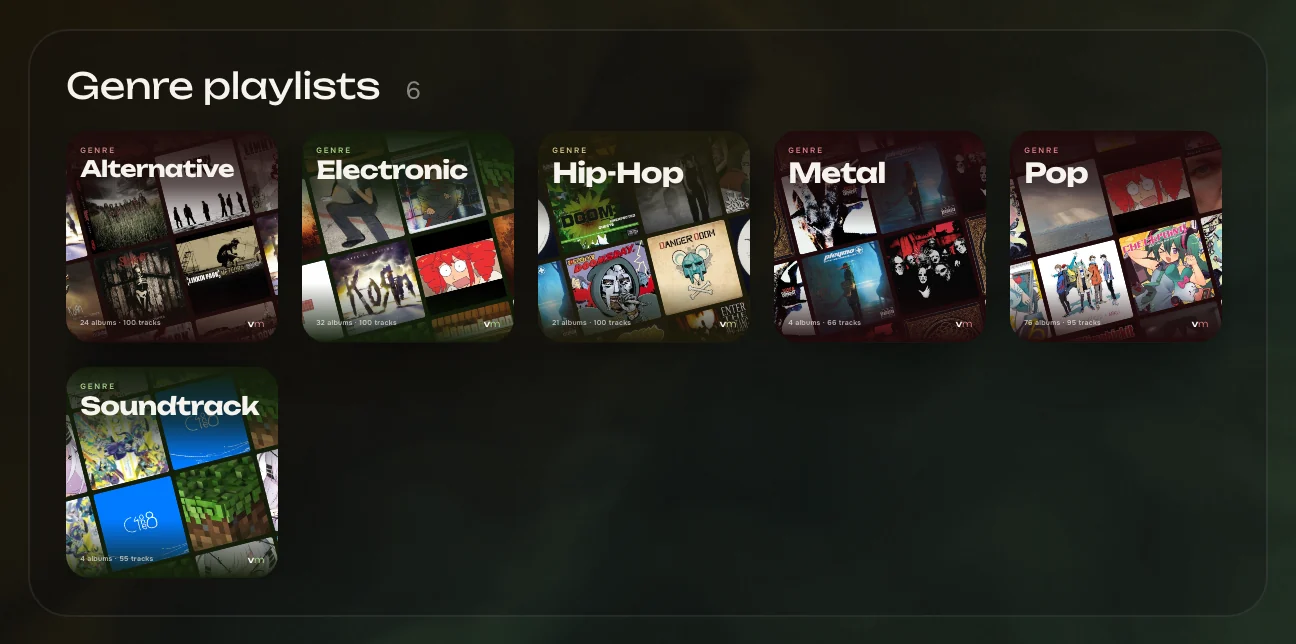
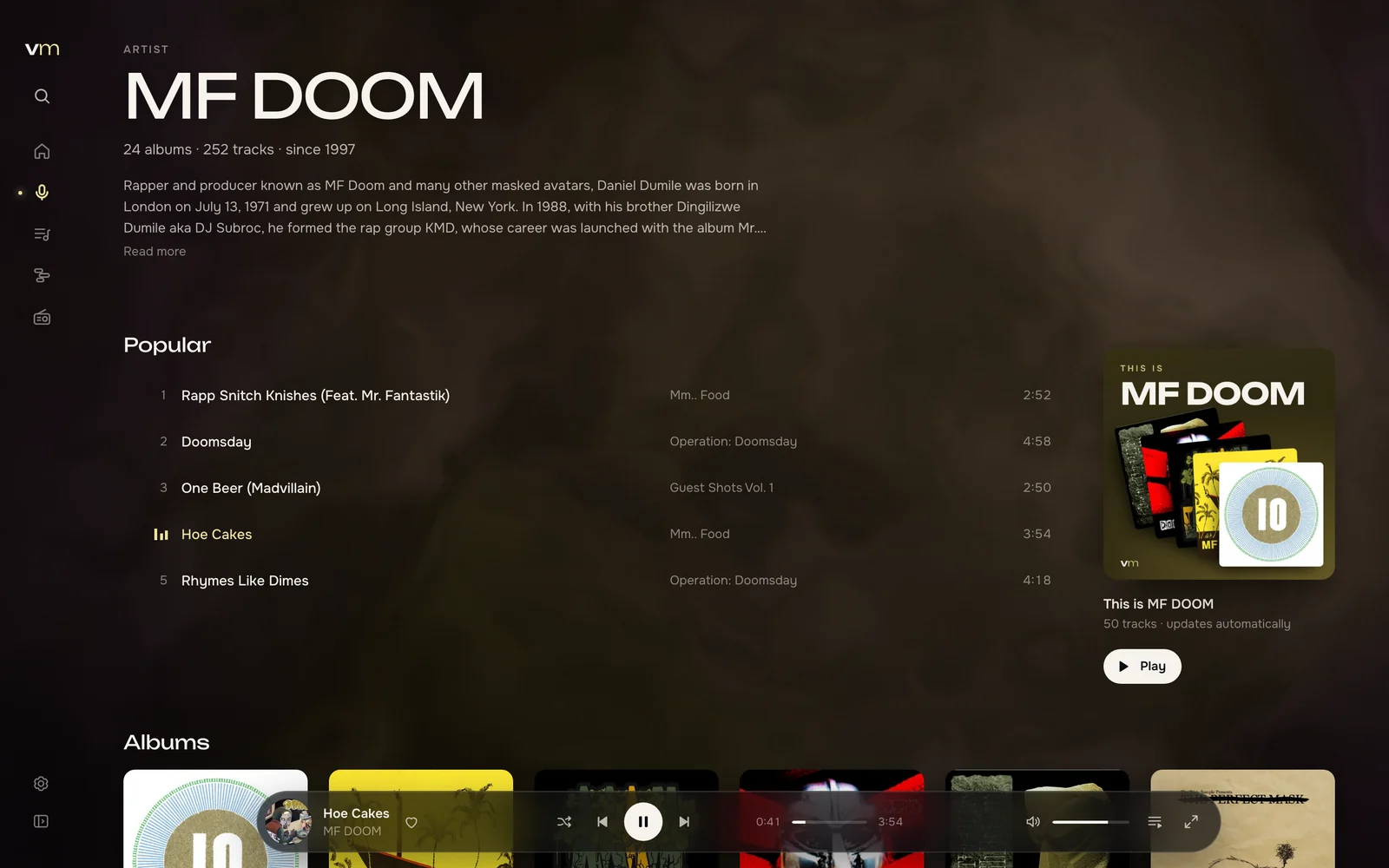
Each one gets a generated cover from its own albums. Alongside them, every artist with enough tracks gets a “This is” playlist of their best-known tracks that you own, with a cover drawn in the colours of their newest album. Open the app on any day and there’s something new to play.
An artist’s “This is” playlist lives on their page: the top five become a Popular list next to its cover, and Similar in your library suggests related artists you actually have.
Your collection, across the years
The timeline lays out your albums by the year they came out, one lane per artist. Who was busy when, which years are crowded, where the gaps are: you see the shape of a whole collection at once, and every cover is one click from playing.
Share anything, with a link
Right-click an album, a playlist or a single track and vibemusic copies a link. Whoever you send it to can listen in their browser, no account needed, on a page that takes its colours from the cover. Paste it into a chat and the preview shows the name, the number of tracks and the cover.
Every screen is a remote
Every open vibemusic on your account knows about the others. Start music on the computer that’s connected to the speakers, then pause, skip or add to the queue from your phone. Or move playback from one device to the other and carry on from the same second.
Fast, with gestures that feel natural
Your whole library lives in the browser, so search, filters and sorting answer with every keystroke, whether you have five hundred tracks or fifty thousand. Playback is gapless, and your queue follows you between devices. On a trackpad, swipe to bring in the queue or resize the sidebar; on a phone, pull down to close the player and press and hold for options.
Try it
vibemusic runs with Docker next to Navidrome, and a setup script does most of the work: it asks a few questions, starts everything, and the first visit creates your account. Pick the guide that matches what you have:
- No Navidrome yet: a new setup with its own Navidrome, which reads your music folder without changing it.
- A Navidrome you already run: install vibemusic next to your Navidrome and sign in with your Navidrome account.
- One compose file for all your services: add two services to it.
- Your own domain or reverse proxy: put it behind Caddy, nginx or a Cloudflare Tunnel.
It’s early days. Expect rough edges and breaking changes, and please tell me what feels off in the issue tracker. The whole project, every line of code and every page of its docs, was written by AI, with me deciding what to build and how it should feel. It’s licensed under the AGPL, and the source is on GitHub.